
Video Conferencing has become the spearhead of modern communication. From boardrooms to classrooms, and even in health care, it has connected people without the constraints of geography. But many questions still linger: What platform is the best? What equipment do I need? How secure is it?
This guide has the answers and more. We’ll examine definitions, mechanics, types, required equipment, pros and cons, and a comparison of platforms. Along the way, we’ll include links to comprehensive guides for those who want to dig in further.
What Is Video Conferencing?
Simply put, video conferencing is nothing more than letting two or more people in separate locations communicate in real-time with both video and audio, as if they were in the same room. It allows teamwork, education, customer service, and human-interaction from a distance.
Many people confuse the terms:
- Teleconferencing usually means audio-only.
- Virtual conferencing can have chat rooms or other mechanisms of interaction.
Want more detail? See:
What is considered video conferencing?How Does Video Conferencing Work?
Video conferencing is simple to use, and it has four main requirements: a good and stable internet connection, conferencing software, microphones, and cameras. Under the hood, VoIP, codecs, and cloud servers enable you to stream audio and video seamlessly to your browser.
Here’s how a typical video call works: You click on a link via Zoom or Teams, your device encodes your video and audio, that data’s sent across the internet, and the other person’s device instantly decodes it.
For deeper insight, check:
What is a video conference and how does it work?Types of Video Conferencing
There are a variety of ways to virtually connect:
- Audio conferencing (voice only).
- Video conferencing (voice + video).
- Teleconferencing (multi-location audio/video).
- Online events (larger digital spaces, occasionally in VR).
- Desktop systems vs room-based systems.
- Modes: peer-to-peer or multipoint calls.
For in-depth explanations:
Is there a difference between teleconference and video conference?Video Conferencing Equipment & Requirements
At minimum, you’ll need:
- A computer, tablet, or smartphone equipped with a camera and microphone.
- A reliable internet connection.
- Speakers or a headset.
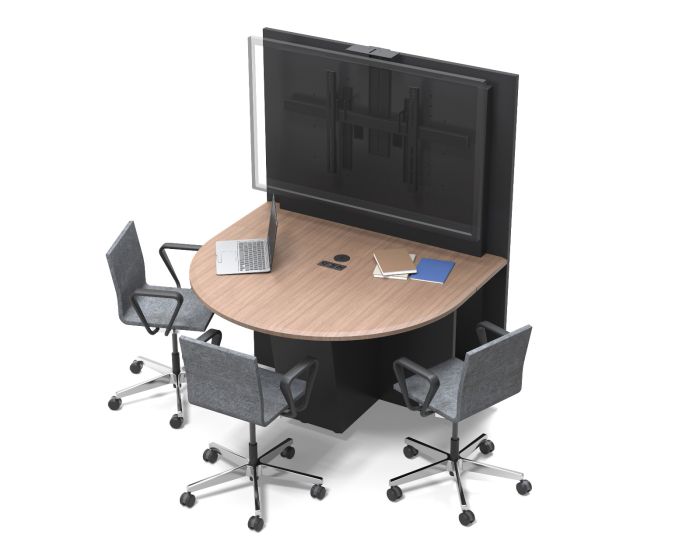
For larger and more advanced setups (such as conference rooms, training spaces, or auditoriums), you require professional AV solutions, large displays, and external cameras. Additionally, bandwidth also increases with the group size.
See practical guides here:
List of equipment required for video conferencingAdvantages of Video Conferencing
- Saves money: reduces travel costs.
- Increases efficiency: Decision-making is quicker.
- Fosters collaboration: Screen sharing, recording, breakout rooms.
- Accessibility: Ideal for remote or hybrid teams.
- Scalability: Works for one-on-one calls or large 1,000+ webinars.
Disadvantages & Limitations
The video conferencing experience isn’t perfect, of course:
- Requires a stable internet connection.
- Can expose security vulnerabilities.
- May cause ‘Zoom fatigue’ with extended use.
- Enterprise setups can be expensive.
Learn more here:
What are the drawbacks of video conferencing?Overview of Video Conferencing Platforms
There are plenty of platforms in the market, and each has its strengths:
- Zoom: Popular, user-friendly, robust free tier.
- Microsoft Teams: Best for Microsoft 365 users.
- Google Meet: Web-based, easy access for the informal user.
- Cisco WebEx: Reliable and focused on enterprises.
- Skype: It’s an old tool, but some haven’t moved past it yet.
Compare platforms here:
Which video conferencing platform is right for you?Zoom: A Closer Look
Zoom deserves its own section:
- First, it was “Zoom Meetings.” Then they changed it to “Zoom Workplace.”
- Free version: 40-minute limit on group meetings continued to be lifted through March 31, 2021.
- Paid editions: Pro, Business, and Enterprise.
- Types: Meetings, Webinars, Rooms.
- Works on other devices and connects to a zillion apps.
Read more:
Can I get Zoom for free?Security, Privacy & Safety
Security is as important to companies as to individuals. Look for:
- End-to-end encryption.
- Authentication features.
- Compliance with regulations.
Compare security here:
What’s the most secure video conferencing platform?The Future of Video Conferencing
Expect rapid innovation:
- Hybrid work: Video conferencing is here to stay.
- AI tools: Speech recognition, automated transcriptions, meeting summaries, scheduling.
- VR/AR: Get ready for immersive conferencing.
- Sustainability: Fewer miles traveled, fewer emissions.
Conclusion & Next Steps
Teleconferencing is important nowadays, in our classes and companies. With the right platform, setup, and practices in place, you can make it much more efficient and collaborative.
Explore more:
What is the best video conferencing platform?Ready to upgrade your meeting rooms? Discover AVFI’s commercial videoconferencing furniture and AV solutions for every call there is.